

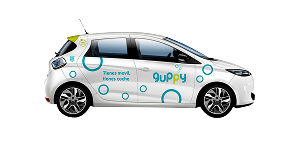

Renault Zoe
The same reliable choice, now and forever. Versatile and efficient, it adapts perfectly to both urban trips and medium-distance journeys, offering complete comfort.
More range to go further. It’s the perfect choice for combining urban mobility with longer trips and intercity getaways.
How can I turn off ECO mode on the Zoe?
If you feel your ‘guppy’ isn’t giving its all on the highway, simply press the accelerator pedal all the way down to disable ECO mode. This will allow the ‘guppy’ to easily exceed 90 km/h. Just keep in mind that the more efficient your driving, the further you’ll be able to travel before needing to recharge the battery.
This applies only to the Zoe. In the Zoe Neo, ECO mode can be toggled on or off using a dedicated button. Our recommendation: keep ECO mode on at all times to improve driving efficiency and extend your range. 😊
How do I unplug the Zoe from a charging point?
Simply press the button with the plug icon, located to the left of the steering wheel, and the cable will be released. If you used the one from the guppy, remember to put it back in the trunk.
To turn it on, it asks me to insert the card and press 'start'.
You’ve rented an MZ, right? These guppy cars have a little trick: if you’re prompted to place your card and press “Start,” simply tap the “unlock” button in the guppy app to bypass that message. It’s super easy! Once the message disappears, press the brake, hit “Start,” and you’re good to go!
Is there a possibility of fast charging in these models?
Yes, many Zoe Neo models have it. You can check for yourself by opening the charging port flap.
If, upon opening the flap, you see two separate covers—each concealing a connector—then it is a CCS2 connection, which means the vehicle supports fast charging.
If, on the other hand, the lower section is a fixed plastic cover, the vehicle does not have CCS fast charging and can only be charged using alternating current (AC).
